How AI image upscaling works
Updated 2026 · ~5 min read · by kizura
"Enhance!" used to be science fiction. Today AI upscaling really can turn a small, soft image into a larger, sharper one - but not by magic. Here is what is actually happening, explained simply.
The old way: interpolation
Traditional resizing guesses each new pixel by averaging neighbors. Methods like bilinear and bicubic are fast but can only blend existing pixels, never invent the fine detail a higher-resolution photo would contain. The result looks soft because no new information was added.
The AI way: learned detail
AI super-resolution predicts what the high-resolution version should look like. Having learned from millions of examples how edges, textures, skin, and text appear at full resolution, it reconstructs believable detail interpolation cannot. That is why an AI-upscaled image looks genuinely sharper, not just bigger.
How the models are trained
The trick is elegant: take high-resolution images, shrink each one, and ask the model to rebuild the original from the small version. Over millions of pairs the network learns the relationship between low and high resolution. The Real-ESRGAN family trains on images degraded with realistic blur, noise, and JPEG artifacts, so it handles messy real-world images.
What it can and cannot do
Upscaling adds plausible detail, not true detail - it is an educated reconstruction, not recovery of information that was never captured. For prints, social media, and restoring old photos this is exactly what you want. For forensic use, remember the added detail is invented. Our main guide has tips for the cleanest results.
Running it in your browser
Modern browsers can run neural networks on your device via WebGL and WebAssembly. That is how our upscaler is free to use — your image is processed on a dedicated GPU server over an encrypted connection and deleted immediately after your result is ready.
Try the AI upscaler on your own image.
Where the “knowledge” comes from: training on ruined photos
Super-resolution models are trained by deliberate vandalism at scale. Take millions of sharp photographs; programmatically degrade each one — downscale, blur, add noise, run it through JPG compression, often several of these stacked in random order — then show the network the ruined version and grade it on how well it reproduces the pristine one. Repeat until the network internalises what edges, skin, foliage, fabric and text usually look like underneath common damage. Real-ESRGAN’s specific innovation was making that synthetic damage pipeline messy and realistic (compound degradations, not just clean downscales), which is why it handles real-world images — chat-app JPGs, old scans — so much better than earlier lab-perfect models.
Why results look detailed instead of just “less blurry”
There are two ways to score a reconstruction during training. Pixel-accuracy losses (PSNR-style) reward playing it safe, and safe averages out to smoothness — the classic “watercolour” look of older upscalers. GAN training adds a second network, a discriminator, whose whole job is to catch fakes; the upscaler must produce texture convincing enough to fool it. That adversarial pressure is what pushes outputs from “technically closer” to “photographically believable”. The honest cost: the model is rewarded for plausibility, so it will confidently invent texture. On foliage and skin invention is indistinguishable from restoration; on a licence plate it is fabrication — which is why serious tools, ours included, should never be treated as forensic instruments.
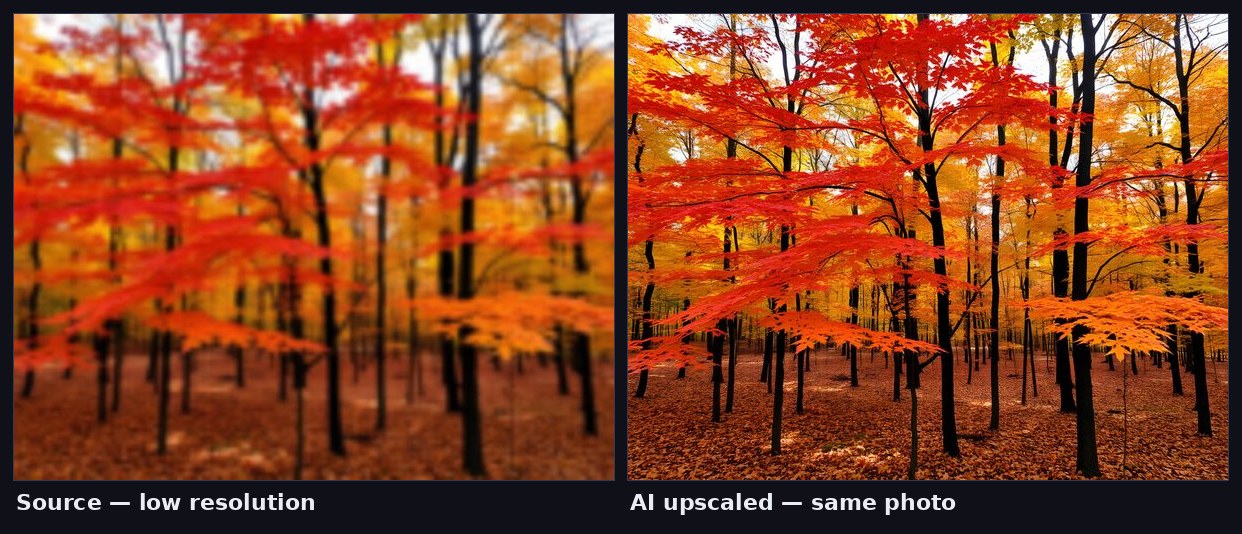
Three engineering details that explain the behaviour you’ll see
- Fixed scale factors. Networks are trained for a specific multiplier (2× or 4×), not a dial — asking for “3.1×” means running a trained factor and resampling, which is why tools offer discrete steps.
- Tiling. Large images are processed as overlapping tiles and blended, keeping memory bounded; it is why processing time grows with area, and why 4,000 px inputs take noticeably longer than 1,000 px ones.
- Face-restoration side-models. The optional face enhancement runs a specialist network (GFPGAN-family) on detected faces only, then composites the result back — faces get disproportionate training attention because humans judge them disproportionately harshly.
On ImgScale the whole pipeline runs on a dedicated GPU server so the heavy model weights never have to fit on your phone: your image travels over an encrypted connection, is processed, returned, and immediately deleted. The trade against fully-local processing is deliberate — consistent Real-ESRGAN-class quality on any device, in exchange for a transient, non-stored upload that our privacy policy spells out precisely.