Your images never leave your device · 100% free

Turn blurry images into
crisp detail

ImgScale upscales low-resolution photos and illustrations up to 4× using AI. Free, private, and runs entirely in your browser — no signup, no upload.

↑ Upscale an image now Read the Guide

Also free: compress · convert · resize · remove background · Studio pipeline

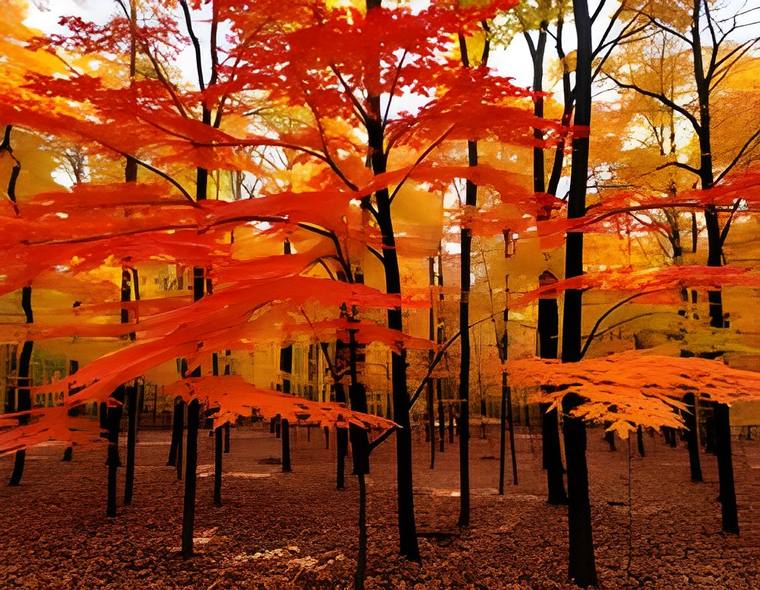
After AI upscaling — sharp autumn forest
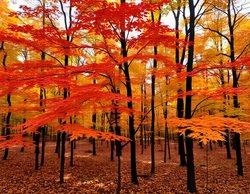
Before — blurry low resolution BEFORE
AFTER

Drag the slider — left is a blurry low-resolution image, right is the AI-enhanced result.

Drop an image — we'll suggest the right tool
or click to browse · analyzed on your device · free, no upload
Ad space

What ImgScale does

Image upscaling is the process of increasing an image's resolution while reconstructing detail that the original pixels never fully captured. Traditional resizing simply stretches existing pixels, producing soft, blocky results. AI-based upscaling instead predicts plausible high-frequency detail — edges, textures, and contours — based on patterns learned from millions of images.

ImgScale is built around this idea. You drop in an image, choose a scale factor, and a super-resolution model returns a larger, sharper version — all processed locally in your browser, never uploaded. Alongside the upscaler, ImgScale includes a full set of free image tools: a compressor, a format converter, a resize & crop tool, and an AI background remover.

Key features

AI Upscaler — plus a full toolkit

Upscaling is what we do best. The rest are free bonuses for the same images.

Who it's for

  • Photographers enlarging shots for prints without visible pixelation.
  • Designers and illustrators upscaling artwork and logos for larger formats.
  • Anyone restoring memories — old scans, low-resolution downloads, or heavily compressed social media images.
  • Online sellers who need clean, high-resolution product photos.

Not sure where to start? Our step-by-step guide walks through best practices, file formats, and how to get the cleanest possible result.

Why ImgScale over the others?

Most online tools upload your files, cap quality behind a login, or charge for the good stuff. We don't.

Truly free · unlimited batch

No premium tier, no per-image cap. Upscale, compress, or convert hundreds of images at once and download them as a ZIP — all free.

Never uploaded

Processing happens on your device. Your images don't touch a server — that's real privacy, not a promise.

No signup, instant

No account, no email, no waiting. Open a tool and use it right now.

Studio pipeline

Chain tools into one flow and batch-process — something the big sites simply don't offer. Try it →

✦ NEW · ImgScale Studio

Need more than one step?
Chain your tools.

Drop an image once and route it through a visual pipeline — upscale, then remove the background, resize, and compress, all in a row. Or drop a whole batch and let Studio auto-recommend the right action for each. Press ⌘K anywhere to jump between tools.

▸ Node-based pipeline ▸ Smart batch processing ▸ ⌘K command palette
Open Studio →

How upscaling works in 3 steps

1

Upload or paste

Drag in one or many images, click to browse, or paste straight from your clipboard. Nothing is sent to a server.

2

Pick mode & scale

Choose AI for maximum detail or Fast for speed, then 2× or 4×. The tool estimates time and output size before you start.

3

Compare & download

Drag the before/after slider, zoom in with the loupe, then download as PNG, JPG, or WEBP — or a whole batch as a ZIP.

AI mode vs Fast mode

ImgScale gives you two ways to enlarge an image so you can trade detail against speed depending on the job.

 AI · High qualityFast · Instant
Detail reconstructionNeural network rebuilds edges & textureSmooth interpolation
Best forPhotos, faces, small or compressed imagesLarge images, quick previews, simple graphics
SpeedSlower (runs a model in-browser)Near-instant
CostFreeFree

Tip: for very large source images, Fast mode often looks great and finishes in a fraction of the time. The tool flags this for you automatically.

Common uses

Restore old photos

Bring detail back to scanned prints, faded snapshots, and low-resolution family pictures before sharing or printing them.

Sharpen product shots

Turn small or compressed e-commerce images into clean, high-resolution photos that look professional on any storefront.

Enlarge artwork

Scale up illustrations, logos, and digital paintings for posters, prints, and high-DPI displays without obvious pixelation.

Clean up downloads

Improve images saved from social media or messaging apps, which are usually re-compressed and stripped of detail.

Ad space

Frequently asked questions

Is ImgScale really free?

Yes. The upscaler runs entirely in your browser — there is no account, no upload, and no cost. The AI model is downloaded once on first use and then cached.

Do my images get uploaded anywhere?

No. All processing happens locally on your device, so your images never leave your computer or phone. See our privacy policy for details.

What is the difference between 2× and 4×?

2× doubles each dimension and looks the most natural; 4× quadruples it for small sources or print resolution, but asks the model to invent more detail. Our guide explains when to use each.

Which file formats are supported?

You can upload PNG, JPG, or WEBP, and download your result in any of those formats with adjustable quality.

Can I upscale several images at once?

Yes. Drop multiple files to queue a batch, process them together, and download everything as a single ZIP.
Ready to sharpen your images?

Free, private, and instant — no signup required.

Open the Upscaler →